Manufacturer · Fashion & Home Accessories

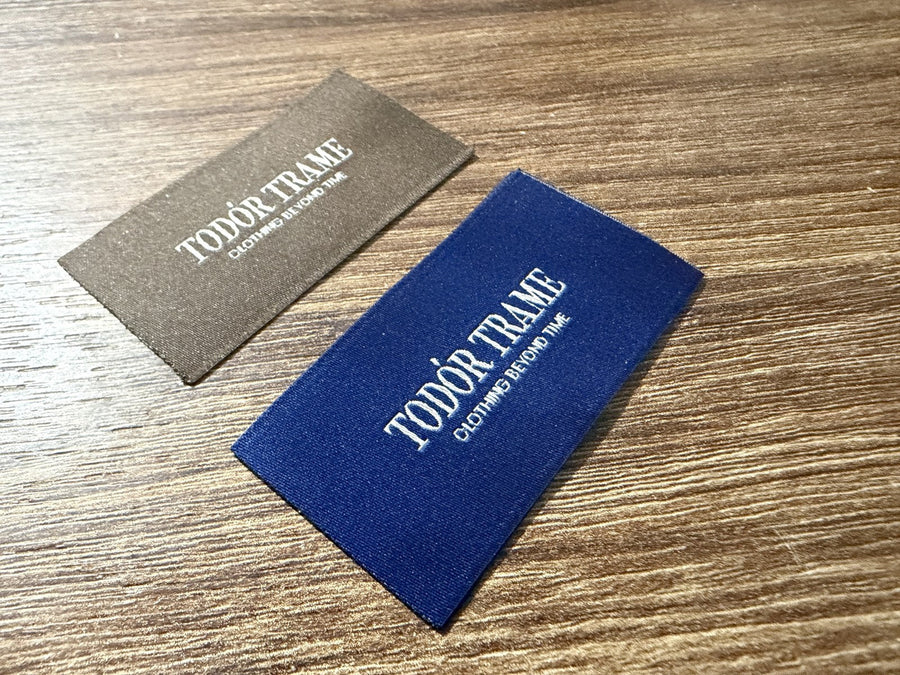
A label print file must be vector (AI, EPS, PDF or SVG), at actual size, with fonts converted to outlines, solid Pantone colours and margins left for the seam and fold. This way the manufacturer can make a plate, screen or template without redrawing, and the sample will look exactly like the approved design. Raster JPG and PNG files serve only as a reference.
Below is the checklist we use to check incoming files for printed textile labels. If you follow it, you will save at least one round of corrections.
Label print file – format and scale
- Vector format. AI, EPS, PDF (with vector content) or SVG. A vector can be scaled without loss of quality.
- Actual size 1:1. Make the artboard the exact size of the visible part of the label. This immediately shows whether the text is legible.
- A separate file or layer for each variant, if you have several sizes or languages.
- No embedded raster effects – shadows, glows and textures usually do not print on textile the way they look on screen.
Fonts and text
- Convert text to outlines, otherwise the font will be substituted when the file is opened on another computer.
- Also keep an editable version – you will need it to correct the composition or size.
- Choose a font of moderate weight. Very thin (light, thin) fonts and small serifs get lost when printing on textile.
- Leave space between letters and lines. Ink spreads slightly along the threads, and tightly packed text runs together.
- Check Cyrillic and special characters – ä, ß, ç, ñ and others on multilingual labels.
Lines, details and minimum sizes
Every technology has a detail limit. A thin line that looks good on a monitor when zoomed in can disappear or break up on the tape. What to check:
- Thin lines in the logo have sufficient thickness for the chosen method.
- Small counters inside letters (in “a”, “e”, “g”) do not fill in.
- Reversed text (light on a dark background) is slightly bolder and larger than positive text.
- Barcodes are at the recommended minimum size, with a quiet zone on both sides.
If you are unsure, ask the manufacturer for the minimum values for the specific tape and method before finalising the design.
Colours
Textile printing works with solid colours. Each colour in the design must be defined as a separate solid (spot) colour with a Pantone reference. It is also good to state the tape colour, because the same print looks different on a white, cream or black base.
| Do | Avoid |
|---|---|
| 1–2 solid colours with a Pantone code | Gradients and halftones |
| High contrast between print and tape | Dark print on dark tape |
| The same colour throughout the collection | “Almost identical” shades in different files |
| A separate note of the tape colour | A background drawn in the tape colour as part of the design |
Margins for seam, fold and cutting
The visible part of the label is smaller than the cut tape. Part of it goes into the seam and part is folded under. So in the file:
- mark the seam and fold areas with guide lines on a separate layer;
- do not place text closer to the edge of the tape than the manufacturer recommends;
- on a centre-folded label, check which half will be at the front and whether the text on the reverse is upside down;
- on multi-page care and composition labels, state the page order.
Care symbols and composition
Symbols for washing, bleaching, drying, ironing and professional cleaning are given according to ISO 3758 in a set order. They are usually set as a special font or standardised vector symbols, not as drawings. The composition is stated with fibre names according to Regulation (EU) No 1007/2011 and their percentages. You will find details on the content under care and composition labels.
The most common problems with files we receive
- A PDF that contains only a photo. The extension is correct, but inside is a raster image that cannot be used for a printing plate.
- Missing fonts. The text is not outlined and is replaced with another font when opened, and the lines shift.
- Wrong scale. The logo was drawn large and reduced “by eye”, without checking whether the details survive at actual size.
- Hidden layers and old versions in the same file, which cause confusion about which design is current.
- RGB colours without a stated reference – the monitor colour rarely matches the tape colour.
Checklist before sending
- Vector file at actual size.
- Text in outlines plus an editable version.
- A Pantone code for each colour and the tape colour.
- Seam and fold margins marked.
- Spelling checked, especially in foreign languages and in the composition.
- A spreadsheet of variants and quantities, if there are any.
- The desired printing method, or at least a description of the expected look.
Printed or woven – does it affect the file?
Yes. Printing allows finer detail and smaller text than weaving. If the same design will be used for both a printed and a woven label, prepare a simplified version for weaving – with thicker lines and fewer colours.
Help with preparation
Polkom is a manufacturer of accessories for fashion, furniture, footwear and bags, based in Sofia, with over 30 years of experience. We check every file before making a sample and, if needed, suggest corrections so that the printed label is legible and durable. We deliver across the EU. Send the file and description via Contact.