Manufacturer · Fashion & Home Accessories
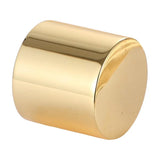

24 of the 34 snap button styles in the Polkom catalogue can carry a logo. The logo is placed on the cap – in relief on metal caps, by laser on mother-of-pearl and marble caps, by printing on plastic caps – and on open-ring styles on the male part. Styles with a concealed cap, the crystal cap, the sew-on styles, most plastic caps and some of the special systems are offered without a logo.
Which snap buttons can have a logo – table by style
The table lists all styles from the five systems. The code links directly to the style in the catalogue, where you will find the sizes.
| Code | Style | Logo | Technique |
|---|---|---|---|
| PR-10 | Open ring | yes | logo on the male part |
| PR-11 | Open ring with long prongs | yes | logo on the male part |
| PR-20 | Closed metal cap | yes | relief on the metal cap |
| PR-30 | Flat cap (coin type) | yes | relief on the metal cap |
| PR-40 | Mother-of-pearl cap | yes | laser or print under a transparent cap |
| PR-50 | Marble polyester cap | yes | laser |
| PR-60 | Crystal cap | no | – |
| PR-70 | Coloured ring | yes | on inquiry |
| PR-80 | Mesh cap | yes | relief on the metal cap |
| S54-10 | 54 standard | yes | relief on the metal cap |
| S54-20 | Mini 54 | yes | relief on the metal cap |
| S54-30 | 54 with concealed cap | no | – |
| S54-35 | Mini 54 with concealed cap | no | – |
| S54-40 | 54 with plastic cap | no | – |
| S54-50 | 54 Alpha | yes | relief on the metal cap |
| H61-10 | 61 standard | yes | relief on the metal cap |
| H61-20 | 61 with large coin-type cap | yes | relief on the metal cap |
| H61-30 | Mini 61 | yes | relief on the metal cap |
| H61-40 | 61 with double-sided male part | yes | relief on the metal cap |
| H61-50 | 61 with plastic cap | no | – |
| H61-55 | Mini 61 with plastic cap | yes | print on the plastic cap |
| H61-60 | 61 with plastic segment | yes | relief on the metal cap |
| H61-70 | 61 with screw | yes | relief on the metal cap |
| SW-10 | Sew-on, brass | no | – |
| SW-20 | Sew-on, zinc alloy | no | – |
| SP-10 | Combined system with 54 cap | yes | relief on the metal cap |
| SP-20 | Combined system, brass and zinc alloy | yes | relief on the metal cap |
| SP-30 | With nail and 54 cap | yes | relief on the metal cap |
| SP-40 | Heavy-duty system with aluminium nail | yes | relief on the metal cap |
| SP-50 | Slim system with 54 cap | yes | relief on the metal cap |
| SP-60 | With pronged coin-type cap and nail | no | – |
| SP-70 | Magnetic button | yes | relief on the metal cap |
| SP-80 | Stainless button | no | – |
| SP-90 | Heavy-duty system without logo | no | – |
Logo techniques by cap type
Raised logo on metal
On brass caps the logo is made in relief – raised or recessed in the metal – and the finish is applied afterwards. Relief is the most durable technique: it does not rub off in washing or with friction, because it is part of the shape of the cap. It looks best on flat caps such as PR-30 (coin type) or H61-20 with a large coin-type cap.
Laser on mother-of-pearl and marble
The mother-of-pearl PR-40 and the marble PR-50 caps take a laser logo. The laser removes a thin layer of the surface and leaves a contrasting, precise design – suitable even for fine lines. With the transparent mother-of-pearl cap there is also an option with a print underneath, under the transparent layer, where the logo is fully protected.
Print on plastic
On H61-55 – mini 61 with a plastic cap – the logo is applied by printing. This allows a coloured logo on a cap in the colour of the fabric.
Logo on the male part
The open ring PR-10 and PR-11 have no cap on top, so the logo is placed on the male part, which is visible when the snap is open.
Why some styles have no logo
- the concealed cap (S54-30, S54-35) stays inside the fabric – the logo would not be visible;
- the crystal cap (PR-60) is decorative, with a stone;
- the sew-on styles (SW-10, SW-20) are usually hidden between the layers;
- the plastic caps of S54-40 and H61-50 are offered without a logo;
- some of the special systems (SP-60, SP-80, SP-90) are technical solutions without a logo.
If a particular item needs a style without a logo but the brand has to be visible, combine it with branded buttons in the visible places.
How to prepare the logo
- Send the logo in vector format (AI, EPS, PDF or SVG).
- State the system and the cap size – at 9 – 10 mm the logo must be simplified, without thin lines and small text.
- Specify whether the logo is raised or recessed and in which finish.
- State the colour of the mother-of-pearl, marble or plastic if the cap is moulded.
- Approve the sample before production starts.
Cap size and legibility
The smaller the cap, the simpler the mark must be. For a monogram or a symbol, 10 – 11.5 mm is enough, but for a text logo it is better to choose a cap of 15 mm or more. Flat caps give the largest usable area.
Colour and finish
The cap of a snap button can be made in any size and colour – for clothing, bags, dresses and anywhere snap buttons are used. The metal parts are offered in finishes from the finish chart, including nickel colour, antique brass and tin oxide – all nickel free – while mother-of-pearl, marble and plastic caps are moulded in a colour matched to a sample.
Branding the whole set
A snap button is rarely the only branded detail. With the same logo and finish we can make metal buttons, eyelets and other accessories, so that the whole item has a consistent look. All options are gathered on the branding page.
Inquiry for logo snap buttons
Polkom manufactures all systems in the snap buttons category and makes caps with your logo to order. Send us the logo, the item and the desired style via the contact form – we will suggest a suitable technique and a sample.