Manufacturer · Fashion & Home Accessories
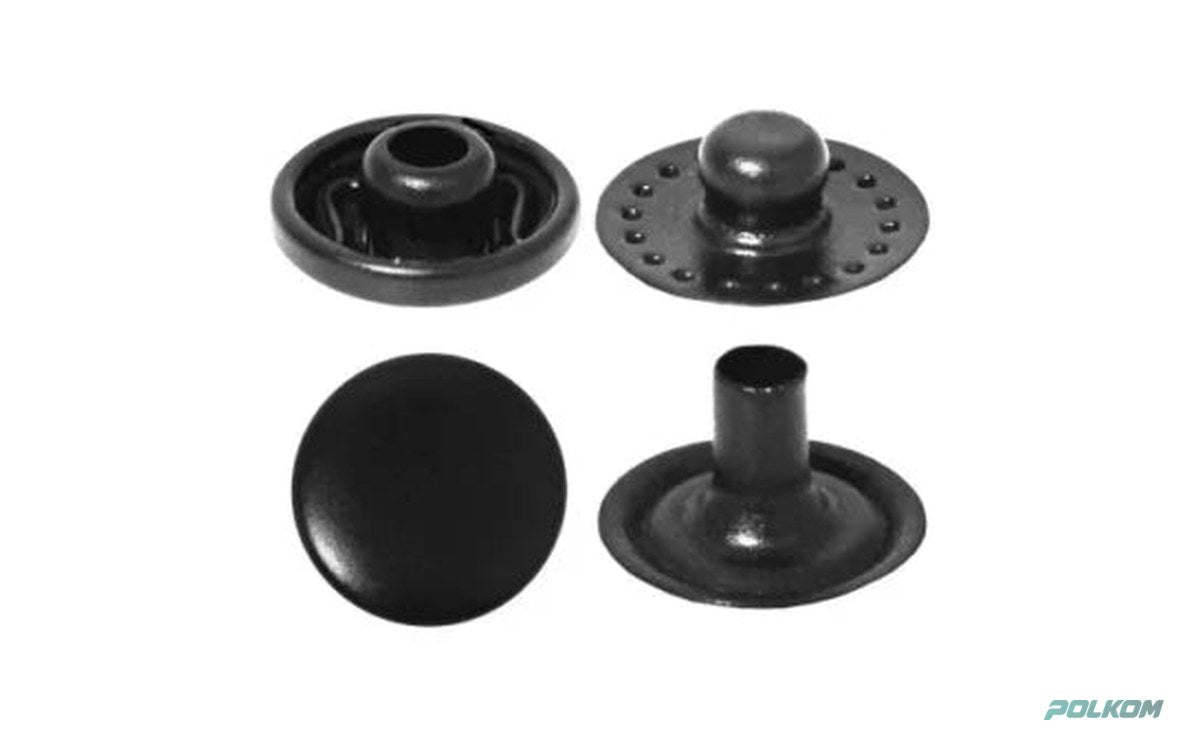
The most common mistakes when attaching snap buttons are the wrong length of prongs or post for the fabric, a wrong or off-centre die, incorrect press force and mixing parts from different systems. They lead to bent prongs, a weak click, a spinning cap or torn fabric. Almost all of them can be avoided by choosing the right system, reinforcing the fabric and doing a trial attachment before the production run.
Snap button attachment mistakes – table of causes and solutions
| Problem | Common cause | Solution |
|---|---|---|
| The prongs do not grip the fabric | Fabric too thin or too stretchy, short prongs | Longer prongs, reinforcement with interfacing, trial attachment |
| The prongs bend inwards or outwards | Wrong die, incorrect press force, off-centre die | The right die for the size, adjusting force and centring |
| Weak click – the snap comes undone by itself | Wrong socket/stud combination, deformation during attachment | Original set from one system, checking the die |
| Mark or dent on the cap | Press force too strong or worn die | Lighter press force, replacing or polishing the die |
| The cap spins | Insufficient pressure, fabric thicker than intended | Longer post, correcting the force |
| The fabric is cut or puckers | Fabric not taut during attachment, sharp edges on the die | Tensioning the fabric, checking the die |
| The fabric tears when unfastened quickly | Unsuitable position of the snap, thin fabric without reinforcement | Reinforcement, repositioning, a larger diameter |
| Failed pull test | Wrong prong length, thin material, wrong combination | Trial attachment and testing before production |
The table covers press-on systems. With sew-on styles the mistakes are different – most often weak stitching or a snap placed on the edge of the fabric.
Mistakes made before attachment
Many problems start at the ordering stage, not at the press:
- a system unsuitable for the fabric – the 54 system on a thin shirt or the 61 system on a dense jacket;
- choosing only by cap diameter without specifying fabric thickness and prong length;
- parts from different systems or batches that do not fit together;
- a die that is not made for this size – even a 0.5 mm difference changes the result.
System-specific mistakes
Prong snap buttons (PR)
With prong snap buttons the most common problem is that the prongs do not grip the fabric or bend. The cause is a material that is too thin or stretchy, or prongs that are too short. For denser areas choose PR-11 with long prongs or the long-prong version of PR-10 and PR-20, and reinforce thin jersey.
54 and 61 systems
Here the main mistake is a spinning cap or a weak click. The cap spins when the post is too short for the stack of layers or the pressure is insufficient. A weak click comes from a spring deformed by excessive press force or from a socket belonging to a different system.
Special systems and screw
With nail-back styles such as SP-30, the nail must match the thickness of the leather or dense material. With H61-70 the stud is screwed into a rigid base – do not press it, and choose a short or long screw depending on the base.
Sew-on styles
With SW-10 and SW-20 the mistakes are in the sewing: too few stitches through the holes, weak cotton thread, a snap too close to the edge, or two halves that do not line up exactly. Sew on with 4–6 stitches through each hole using strong polyester thread and check the alignment before securing the thread.
Tips for correct attachment
- There should be no difference in layer thickness at the attachment point – for example a seam under the snap.
- Choose the length of the prongs or post according to fabric thickness: long for dense and multi-layer areas, short for thin ones.
- On jersey and stretch fabrics, reinforce the spot with interfacing or tape.
- Hold the fabric taut without stretching it and centre the die.
- Start with a lighter press force and increase it until the snap is fully set without marks on the cap.
- Keep the dies clean and replace or polish worn ones.
Checks before the production run
Before you run thousands of pieces, do a quick check of the first snaps:
- the snap closes with a clear click and opens with normal effort;
- the cap does not spin and has no dents or scratches;
- there are no protruding prongs or sharp edges on the reverse side;
- the pull test shows at least 90 N, and the closing force at least 15 N for 10 seconds;
- the fabric around the snap is not puckered or cut.
Repeat the check whenever you change the fabric, the die or the batch of snaps.
How to rescue a snap that is already attached
If a snap has been attached incorrectly, do not press it a second time – this only deforms the parts. Remove it carefully, reinforce the spot with interfacing or a patch on the reverse side and attach a new snap slightly to one side or with a larger diameter that covers the mark.
Trial attachment and technical sheet
Send us fabric samples (mock-up) – we will do a trial attachment and recommend the style, prong length and press settings. If needed, we prepare a technical sheet with attachment instructions for your fabric. If the snaps will carry a logo, match the technique to the cap – see the branding page. For eyelets and rivets, which are set with similar presses, see the categories eyelets and rivets.
Inquiry
Polkom offers all systems in the snap buttons category together with advice on attachment. Write to us via the contact form with a description of the fabric and the problem.